Users and roles
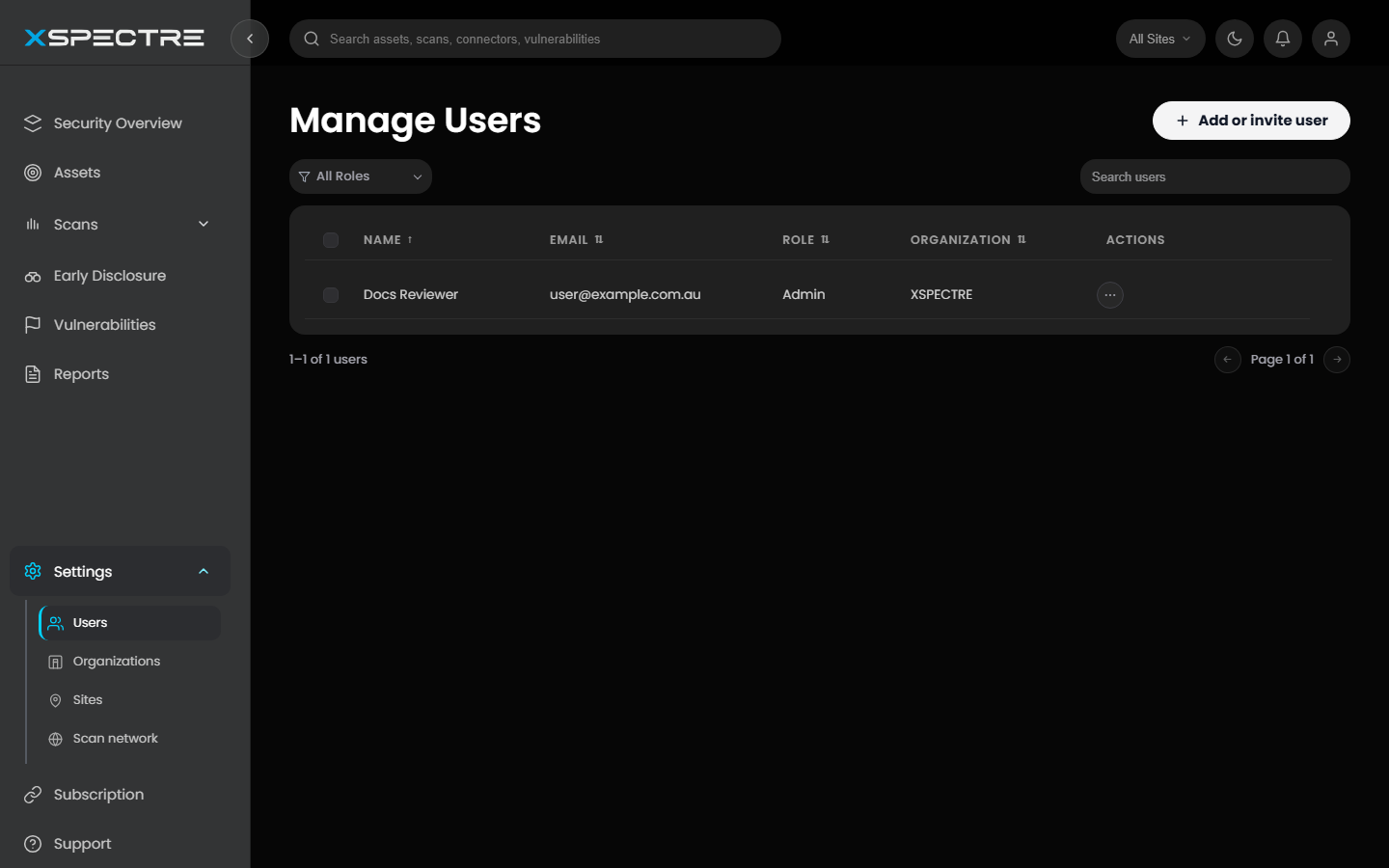
Administrators manage users under Settings › Users (page title Manage Users).
Roles
| Role | Can |
|---|---|
| Administrator | Everything: manage users, organisations, sites, scan network settings and subscription, run scans, manage findings and reports. |
| Analyst | Run scans, view all vulnerabilities and use integrations. |
| Viewer | View vulnerabilities. Cannot run scans or change settings. |
| Partner | For xSPECTRE partners: run scans and view findings across the client organisations they manage. |
Give each person the lowest role that lets them do their job.
Add or invite a user
- Select Add or invite user.
- Choose:
- Invite user: sends an email invitation. The person sets their own password when they accept. Select Send invite.
- Add user: creates the account now with a Temporary password you share securely. They must change it at first sign-in. Select Create user.
- Enter their name and email, and choose a Role.
- Choose the organisations and sites they can access, or All organizations / All sites.
The number of users depends on your plan.
Manage existing users
Use the ⋯ menu on a user's row to:
- Edit: change their role or which organisations and sites they can access.
- Resend: send the invitation again (pending invitations only).
- Send reset link: email them a password reset link.
- Delete: remove their access.
Filter by role with All Roles, or use Search users.
Good practice
- Have at least two administrators, so you are never locked out.
- Remove users promptly when they leave.
- MFA is required for administrators and anyone who can manage users, the organisation, integrations or scans. Other users can turn it on themselves. There is no organisation-wide setting to require it for everyone.