Organisations and sites
xSPECTRE groups everything in two levels:
Organisation   (for example: your company, or a client if you are a partner)
 └─ Site       (for example: Head Office, Branch Office, Online store)
     └─ Scans, assets and findings
Every scan belongs to an organisation and a site. Use the selector at the top of the dashboard to view one organisation or site, or All Sites.
Sites
Use sites to separate locations, environments or business units, so each one has its own results, score and reports.
Settings › Sites (page title Manage Sites) is available to administrators.
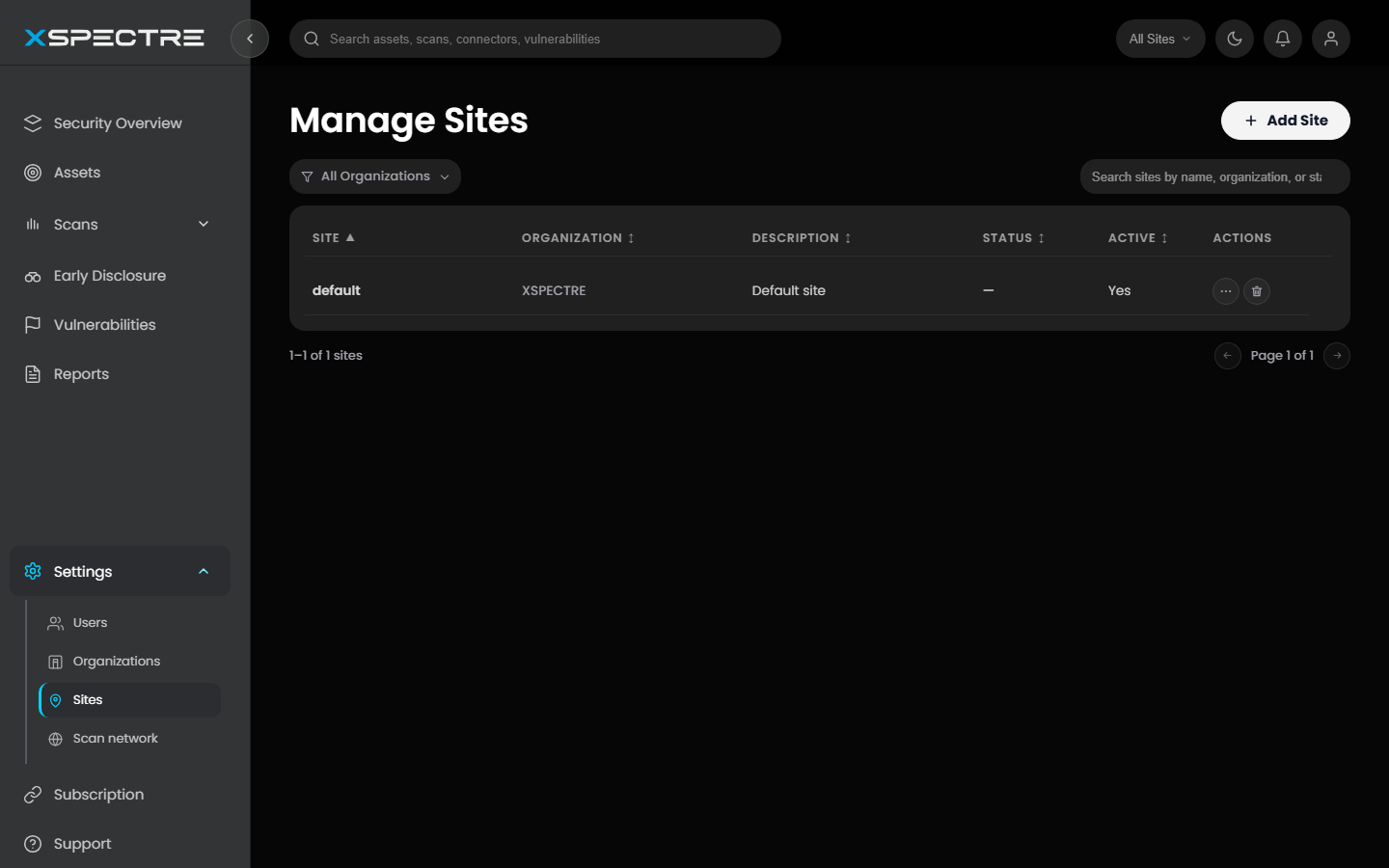
Add a site
- Go to Settings › Sites and select Add Site.
- Choose the Organization, enter a Site name (for example Corp HQ) and an optional Description.
- Select Create site.
Edit a site to change its name, description, Location / details or Status. You can also delete a site you no longer need.
The number of sites you can create depends on your plan.
Organisations
Settings › Organizations lists the organisations you can access. Administrators and partners can view and edit organisation details (Name, Description, Contact, Address).
Partners (for example managed service providers) can manage several client organisations from one login and switch between them with the selector at the top of the page.
Who can see what
Users can be limited to particular organisations and sites. See Users and roles.